













In short
- Emoji in title tags and meta descriptions are meant to catch attention in Google results and raise CTR. A higher CTR may suggest that a page is more attractive to users, and well-chosen symbols give a brand a more personal character.
- Emoji do not look the same in all browsers and search engines, so you need to check how they display before you roll them out. Overuse or a badly chosen symbol can take away a page's professionalism and confuse visitors.
- You need to measure how well emoji work: CTR (preferably with an A/B test), bounce rate and time on page, positions in results, and what competitors do. The effect differs depending on the industry and the target group.
Emoji in title tags and meta descriptions. Use emoji in SEO.
In today's dynamic world of SEO (Search Engine Optimisation) and search engine optimisation, companies use various tactics, strategies and methods to rank highly for keywords and gain an edge over the competition. One of the many elements used by almost every website is emoji in the title tag and emoji in the meta description. Their purpose is to stand out in the results returned by Google after a user types in a given keyword.
What are emoji?
Emoji are graphic symbols used to express emotions, concepts, objects and ideas in visual form, commonly used in electronic communication. They originated in Japan in the 1990s and were initially used mainly in text messages on mobile phones. Today they are an inseparable part of online communication worldwide. In recent years, emoji have become extremely popular thanks to broad support on smartphones, tablets, computers and social media platforms. Operating systems and messaging apps such as iOS, Android, WhatsApp and Facebook have integrated emoji libraries, letting users choose from hundreds of different symbols.
In short, emoji are universal, visual symbols that have enriched our ability to communicate in the digital age, allowing us to convey thoughts and emotions faster and more expressively across a wide range of communication contexts.
Emoji: where to find them?
In the age of digital communication, emoji have become an inseparable part of our everyday conversations, social media posts and emails. These small, colourful symbols enrich content, giving it a more emotional and expressive character. But where can you find a wide range of emoji if your keyboard or app doesn't offer them by default?
- Your smartphone's system keyboard: Most modern smartphones come with a built-in keyboard offering a wide selection of emoji by default. Just tap the relevant icon (often a smiley face) on the keyboard to access the full emoji palette.
- Keyboard extensions for computers: If you use a desktop or laptop computer, there are many extensions and apps that let you add an emoji keyboard. Examples include browser extensions such as "Emoji Keyboard" for Chrome, or dedicated apps for Windows and macOS.
- Emoji database websites: There are online services such as Emojipedia and GetEmoji that offer a rich collection of emoji. You can easily copy and paste them anywhere in your text.
- Messaging apps: Popular messaging apps such as WhatsApp, Messenger and Slack have built-in emoji libraries available directly while you type a message.
- Coding: For more advanced users, emoji can also be inserted using the relevant Unicode codes.
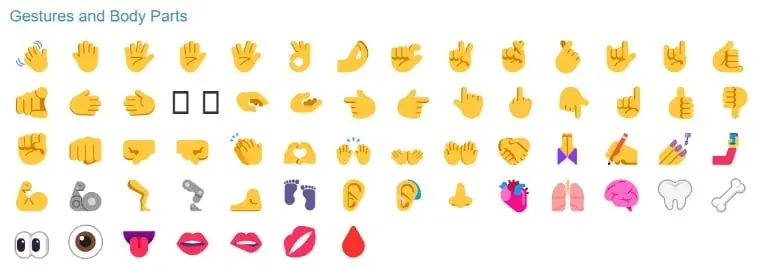
Source: https://getemoji.com
Emoji grab attention in Google's organic results
Using emoji in the title tag is becoming increasingly popular in SEO. The main aim of placing these colourful symbols in titles is to grab the user's attention. Nowadays, when every result on a search page is surrounded by many others, using emoji in meta tags can give your site an edge in the fight for the reader's attention.
Well-chosen emoji for SERPs that match the topic of the content while standing out from other results can encourage a user to click your link rather than a competitor's. This can lead to a higher click-through rate (CTR), one of the important metrics affecting the number of sessions generated. A higher CTR may suggest that a page is more relevant or appealing to users, which in turn can affect its ranking in the search results.
What's more, using emoji in the title tag or emoji in the meta description not only grabs attention but also adds a touch of a human, emotional accent to your content. In an age of automation and numerous technical solutions, small details like this can make a brand feel more personal and closer to the user. However, it's important to remember to use emoji skilfully and responsibly: overusing them or choosing the wrong symbols can have the opposite effect, making a page look less professional and confusing visitors.

Source: Example of emoji used in meta tags
Technical challenges and best practices for using emoji
Not all emoji are interpreted the same way across different browsers and search engines. Depending on the technology, version and individual settings, the same symbols can look different in different environments. So before you decide to add emoji to your title tag or meta description, it's important to check exactly how they'll be displayed to users. You can do this by consulting a developer with the relevant knowledge, or by using dedicated tools to test how emoji are rendered.
When optimising for SEO and creating content that's valuable to users, you should also follow certain rules for using emoji:
- CTR (Click-Through Rate). The most direct indicator of how effective emoji are in titles and meta descriptions is CTR. If you notice an increase in click-through rate in the search results after adding emoji to your page title, that's a first positive signal. It's worth running A/B tests to confirm that adding the emoji is actually what improved the metric.
- Bounce rate. If emoji encourage users to click your link but they then spend very little time on the page, this may mean the emoji weren't consistent with the page's content or created misleading expectations. Monitor the average time users spend on the page and the bounce rate.
- Competitor analysis. Check whether and how your competitors use emoji in their SEO strategy. Competitor analysis will help you understand which emoji work best in your industry and which practices are worth adopting.
- Monitor your search rankings. Adding emoji shouldn't have a negative impact on your search rankings. If you notice a drop, it's worth analysing the causes closely and considering adjusting your strategy.
Using emoji in SEO is a tactic whose effectiveness can vary depending on the industry or target audience. To measure its impact, you need to monitor key metrics and stay flexible in adapting your strategy. Remember that the user is at the centre of everything you do, so always be guided by what's best for them.
Interested in improving your SEO?
Summary
Adding emoji to title tags and emoji to meta descriptions is definitely an interesting and innovative strategy. But like any SEO tactic, it requires careful thought, testing and optimisation. To succeed, it's important to approach this trend with an open mind, combined with the right dose of caution.