













In short
- Sora 2 is an OpenAI model that creates video from a text description, known as a prompt. It reproduces movement, depth of space and, increasingly well, the rules of physics, and according to the article it suits promotional clips, short scenes and social media video.
- Access to Sora 2 requires a ChatGPT Plus or Pro subscription, and free video generation was switched off in January 2026. Generation happens in OpenAI's cloud, so all you need is a stable internet connection.
- The quality of the result depends on how precise your prompt is: a description that is too general gives a random effect. Compared with Runway, Pika Labs and Stable Video Diffusion, Sora 2 focuses on understanding the description and keeping the scene consistent, and minor inconsistencies still occur.
The rapid development of artificial intelligence has blurred the line between reality and digitally generated imagery at a pace that would have been hard to imagine just a few years ago. The emergence of solutions enabling AI video generation has opened up a completely new chapter in the history of multimedia production. In this context, Sora 2 stands out as a special project, not just as another video generator, but as a sign of a deep transformation in how modern video content is made. Are we looking at a breakthrough that will genuinely change the creative industry, marketing and education, or just another step in the evolution of the technology? AI video is one side of this change; the other is how models suggest specific brands to users, which is what AI SEO is about.
What Is Sora 2 and How Does It Work?
Sora 2 is a modern artificial intelligence model created by OpenAI that lets you create video from a plain text description. In practice, all you need to do is type a detailed prompt for the system to generate a realistic piece of film footage, no camera, no film crew, no traditional editing needed. The whole process depends on how precisely you describe the scene, mood and sequence of events.
Importantly, the solution isn't limited to simply animating static images. Sora 2 can reproduce motion, spatial depth and the logical sequence of events within a scene. The resulting material forms a coherent sequence, maintaining narrative continuity and growing consistency with the laws of physics.
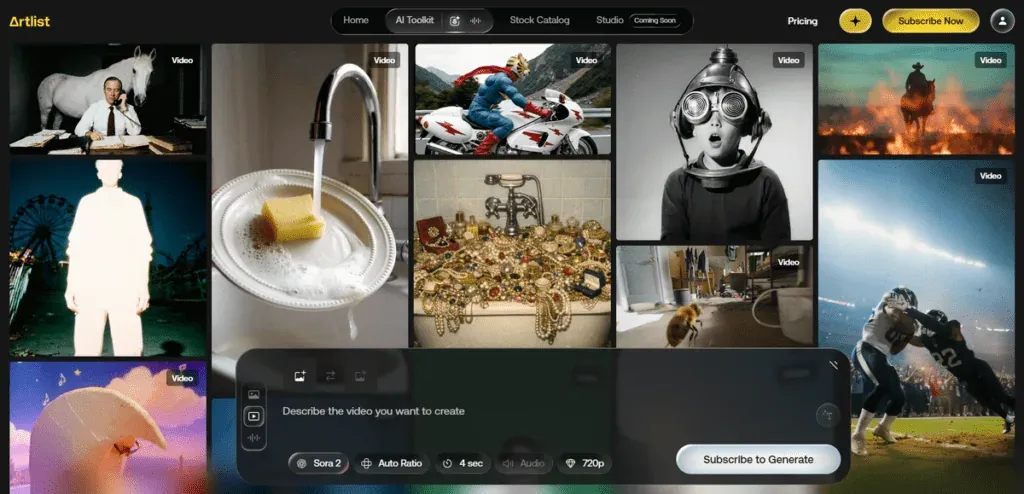
The Origins of Sora 2 and the Development of Generative Technology
To understand the significance of this innovation, it needs to be placed in the context of the evolution of systems developed by OpenAI. Initially, these solutions focused on text, as shown by ChatGPT, then on images, before finally making it possible to create moving images based on commands. Each new version responded to growing market needs and the expectations of audiences looking for more advanced forms of digital expression.
How the Sora 2 Model Works: The Technological Basics
On the technical side, Sora 2 is built on advanced machine learning algorithms trained on a huge volume of text and visual material. This lets the system "understand" what objects should look like, how they move in space, and how they change over time. Everything starts with the prompt, meaning the scene description the user types in. This description is the set of guidelines the model uses to create successive frames and stitch them into a coherent video sequence.
One of the key features of Sora 2 is its increasingly accurate reproduction of the laws of physics. If the description mentions, for example, a falling cup or a coat blown by the wind, the system tries to render its motion naturally and convincingly. As a result, scenes don't look like random animation, but like a fragment of reality captured on camera.
What's more, the tool can account for changes in perspective, camera movement and interactions between characters. This means users can create not just a simple animation, but a more elaborate piece of material, for example a promotional clip, a short film scene, or video for social media.
What Can Sora 2 Do in Practice?
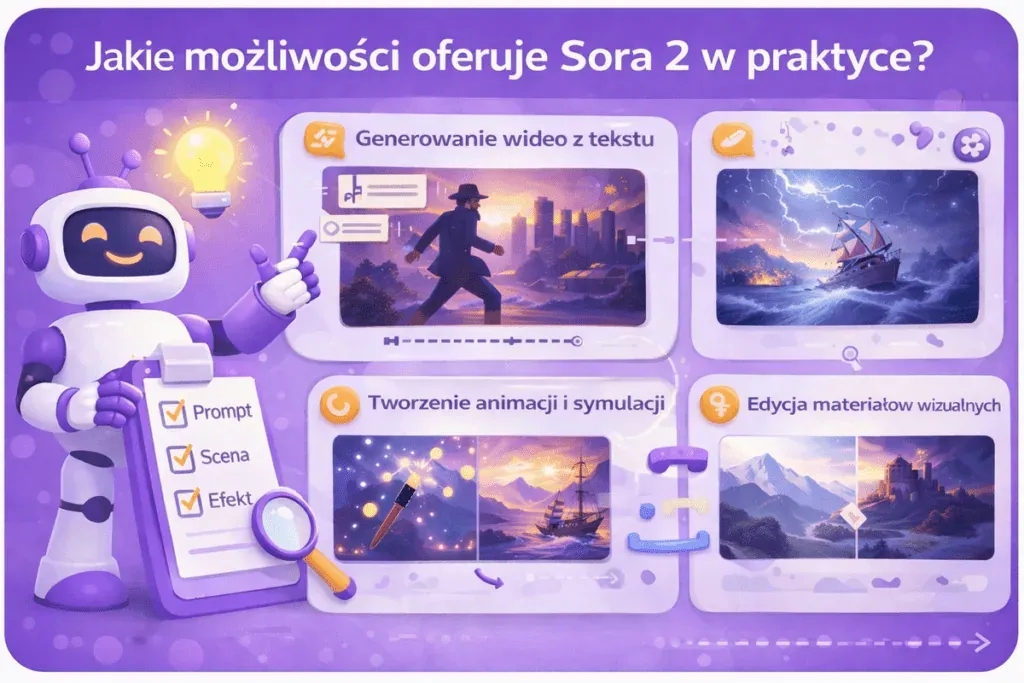
Sora 2's capabilities cover both short-form content aimed at social media and more elaborate narrative sequences. For marketing and digital communication, this means a completely new approach to content production: faster, more flexible, and based on AI technology.
Generating Realistic Video Material From Text
One of the most important capabilities Sora 2 offers is creating video purely from text. Users describe a scene, its mood, style, pace or framing, and the system turns that description into finished footage. Importantly, the resulting material isn't a chaotic collection of animated frames. Sora 2 takes care of spatial consistency and a logical sequence of events, so character movement, lighting and the relationships between objects look natural.
Creating Animations, Simulations and Narrative Scenes
Sora 2 isn't limited to generating single clips. The tool lets you create animations and more elaborate scenes with their own logic and sequence of events. This means the system can not only show movement, but also "tell" a short story, with a beginning, development and clear dynamics. In practice, this makes it possible to prepare dialogue scenes, short-form fiction, or material resembling film fragments. For online creators, educators and creative teams within companies, this is a real opportunity to test ideas faster and build visually appealing content.
Editing and Modifying Existing Visual Material
Another area where Sora 2 applies is the ability to modify and transform existing visual material. Although the system's main function is AI video generation, there's increasing talk about its potential to support video editing. This means the Sora 2 model can not only create new scenes, but also adapt, extend or stylistically transform previously prepared material.
In practice, this can include changing the background, adding new visual elements, modifying the scene's mood, or improving image quality. This kind of integration significantly simplifies the creation process, cutting the time needed to prepare finished material.
How to Start Using Sora 2? Practical Tips
Getting started with Sora 2 doesn't require specialist technical knowledge, but good results don't happen by accident. What matters is understanding how the system interprets a description and turns it into moving images. This isn't a "type one sentence and you're done" kind of tool; it's a solution that requires conscious direction. The more precise the scene description, the greater your control over the final result.
Access to the Tool and Technical Requirements
Access to Sora 2 is only possible with a ChatGPT Plus or Pro subscription (higher quality and longer videos). Since January 2026, free video generation has been switched off entirely. Generation happens in OpenAI's cloud, so you don't need a powerful computer, just a stable internet connection.
Writing Effective Prompts
At the heart of working with a tool like Sora 2 is the ability to write prompts, the text descriptions on the basis of which the AI video generation model produces finished material. In practice, it's the quality of the instruction that decides whether you get a realistic video or a result that falls short of expectations. The more precise the description, covering context, visual style, camera dynamics, atmosphere or set design elements, the better your chances of a satisfying result.
It's worth remembering that generating video from text is an interpretive process. The AI model analyses the meaning of words, the relationships between objects, and the potential logic of events. If the description is too general, the result can be random or oversimplified. On the other hand, an overly complicated instruction containing contradictory information can confuse the algorithm. That's why using Sora 2 effectively comes down to balancing detail with clarity.
In practice, it helps to test different variants. Users can iteratively modify a prompt, observing how the final result changes. This approach is like a dialogue with the technology: each new version of the instruction helps you better understand how the Sora 2 model interprets specific concepts and builds visual narrative.
Example prompt:
Create a 35-second cinematic video set in a near-future city powered by clean energy. The scene begins at sunrise with a wide aerial drone shot revealing modern glass skyscrapers covered in vertical gardens. Soft morning fog moves naturally between buildings, following realistic air flow and physics.
The camera slowly descends to street level, transitioning smoothly into a steady tracking shot of a young woman in her early 30s walking confidently toward a transparent electric tram. Her coat moves naturally in the wind, obeying real-world physics. Reflections in the glass surfaces should be accurate and dynamic.
As she enters the tram, the camera shifts to an interior close-up shot. Natural lighting from large panoramic windows illuminates her face. Subtle depth of field. Background passengers are engaged in quiet conversation, natural body language, realistic gestures.
Cut to a side view of the tram moving through the city. Motion blur should be physically accurate. Vehicles and pedestrians behave according to real-world physics and traffic logic.
Mood: optimistic, inspiring, premium technology commercial style. Ultra-realistic textures, high dynamic range, cinematic color grading similar to a high-end Apple or Tesla advertisement.
No subtitles. No logos. Focus on realism, smooth transitions, and consistent character appearance throughout the video.
The Most Common Mistakes Beginners Make
People just starting out often expect instant, perfect results. Yet even an advanced AI model needs proper direction. One of the most common mistakes is writing overly general instructions, for example limiting yourself to a short sentence without defining the style, perspective or character of the scene. The result may be technically correct video that lacks any distinctiveness.
Example of a poor prompt:
Make a cool video about the future with a woman in a city. Make it realistic and cinematic.
At first glance, the instruction seems fine: it defines the topic (the future, a woman, a city) and suggests a mood (realistic, cinematic). From the perspective of how an AI video generation model works, though, it's too general and imprecise.
Another common problem is a lack of awareness of the technology's limitations. Although Sora 2 follows the laws of physics better than earlier solutions, minor inconsistencies in movement or detail can still occur. Expecting the full perfection of a high-budget film production can lead to disappointment. It's worth treating an AI video generation model as a tool that supports creativity rather than a complete substitute for traditional production.
Sora 2 vs Other AI Video Generators: Key Differences and Similarities
The market for AI video generation tools is developing extremely fast, with successive platforms competing on quality, speed and personalisation options. In this context, Sora 2 doesn't operate in a vacuum; it has to be assessed against competing solutions such as Runway Gen-3, Pika Labs or Stable Video Diffusion. Each of these systems is a different AI video generation model, built on different technological assumptions and aimed at a somewhat different type of user.
Sora 2 vs Runway: Quality, Realism and Scene Control
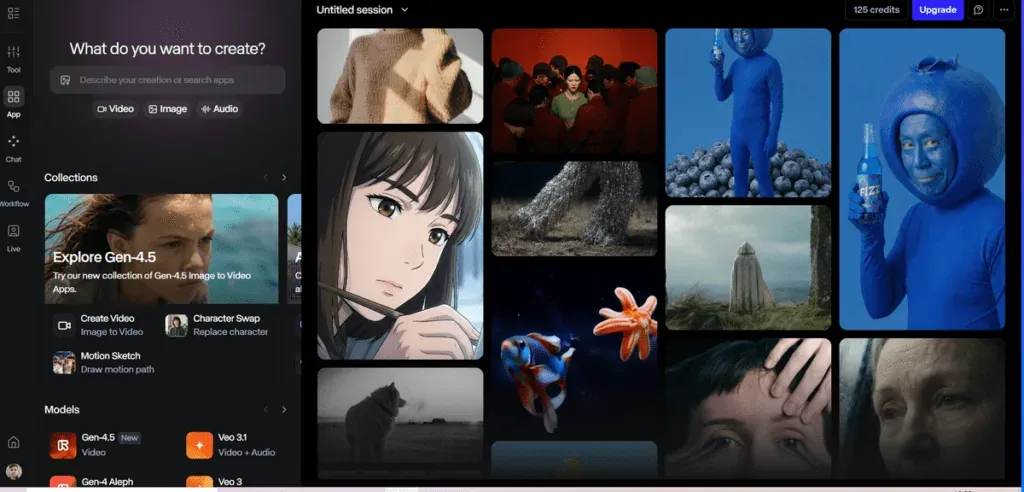
Runway is one of the best-known tools for creating video using AI, especially popular among digital creators and creative teams. Its big advantage is an extensive interface resembling classic editing software, giving users considerable control over shots, transitions and visual effects. This solution works well in environments where the ability to manually intervene and refine details at the editing level matters.
Sora 2 approaches the subject somewhat differently. Instead of focusing on an extensive editing panel, it puts more emphasis on precisely understanding a text description and translating it into a coherent visual vision. Its strength is integrating a language model with generating images in motion, which lets you create more complex scenes without having to manually set numerous parameters.
Both tools offer a high level of quality, but they differ in their working philosophy. Runway gives you greater control in the traditional editing sense, while Sora 2 focuses on intelligent processing of the description and increasingly natural reproduction of movement and space. The choice between them depends on whether you prefer a classic editing environment or a workflow based mainly on a well-designed prompt.
Sora 2 vs Pika Labs: Flexibility and Generation Speed
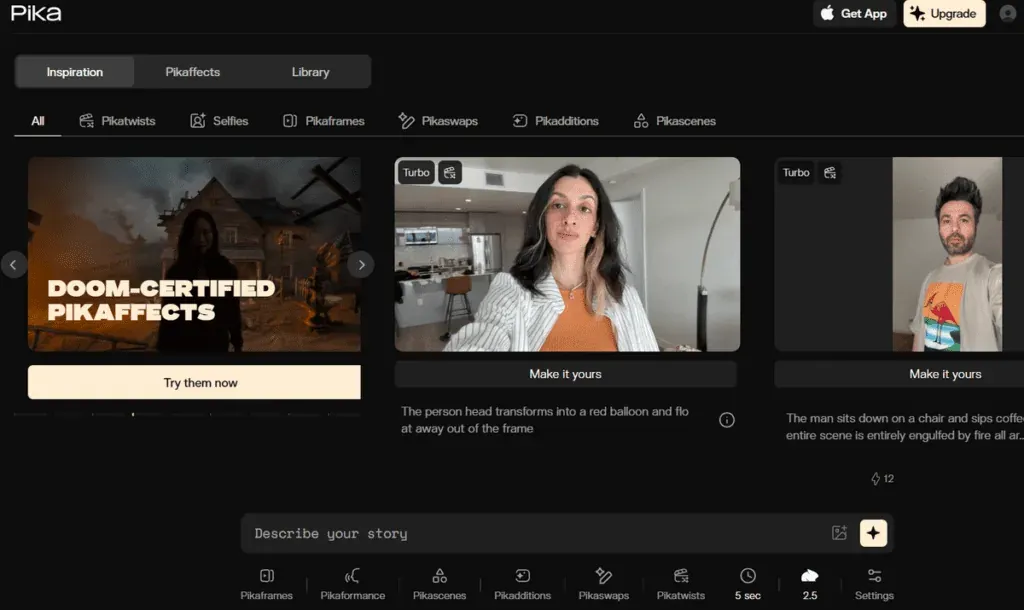
Pika Labs gained popularity mainly for how simple it is to use and how quickly it generates short video material. This tool works well for creating dynamic social media clips, where turnaround time and ease of experimenting with the format matter. Users can generate an impressive animation in moments without diving into complex settings.
Sora 2 is a more elaborate solution, geared towards creating scenes with greater coherence and depth. Instead of focusing purely on a fast effect, the system aims to build a realistic space, natural camera movement and a logical sequence of events. In practice, this means greater potential for projects that need a polished narrative and a higher level of realism.
Sora 2 vs Stable Video Diffusion: Technology Openness and Integration Options
Stable Video Diffusion stands out for its more open, technical approach. It's a solution that can be deployed locally and modified by the community, giving greater control over the infrastructure and how the model behaves. Sora, in contrast, is a solution developed centrally by OpenAI, which means tighter quality control but less freedom to intervene in the model itself.
For technology companies and development teams, Stable Video Diffusion can be attractive because of its potential for integration with their own systems. The choice between these solutions therefore depends on priorities: is openness and the ability to modify the model more important, or quality and support from the technology provider?
| Tool | Main use | Level of realism | Scene control | Technology openness | Best for |
|---|---|---|---|---|---|
| Sora 2 (OpenAI) | Advanced text-to-video generation, narrative scenes, physics simulation | Very high, with an emphasis on movement consistency and compliance with the laws of physics | High (elaborate prompts, narrative, style control) | Closed model developed by OpenAI | Premium marketing, education, creative productions |
| Runway | AI video generation and editing, work in a creative environment | High | Very high (interface, editing tools) | Commercial platform | Agencies, editors, video creators |
| Pika Labs | Short social media clips, quick animations | Medium to high | Medium | Commercial platform | Content creators, TikTok, fast campaigns |
| Stable Video Diffusion | Open-source video generation model | Depends on configuration | High (for technical users) | Open solution | Developers, IT teams, in-house integrations |
The Future of Sora 2 and the Development of Generative AI Video
The development of Sora 2 shows that creating film material using artificial intelligence is no longer an experiment; it's becoming a genuine working tool for the creative industry, marketing and education. If the pace of innovation is maintained, systems of this kind will reproduce movement, emotion and spatial relationships ever more precisely, minimising errors and increasing scene realism.
The next stage could be full integration of image, narrative and sound within a single environment. At that point, the tool wouldn't just speed up production; it would also change how we think about the creative process, from concept all the way to finished video material.
Frequently Asked Questions About Sora 2
Can Sora 2 Generate Video With Sound and Dialogue?
Currently, Sora 2 focuses mainly on generating video from text, but the technology is heading towards integrating image and audio. In the future, full generation of video and sound, including dialogue and sound effects, may become possible, significantly increasing the realism of material created by the AI model.
Is Sora 2 Free?
No, Sora 2 is not free. Since January 2026, OpenAI has completely switched off free access to video generation. The tool is available only to subscribers of ChatGPT Plus or higher plans (Pro). You can always find the current terms and limits on the official openai.com or sora.com website.
What Are the Technical Requirements for Using Sora 2?
To use Sora 2, you need a stable internet connection and access to the platform where the tool is offered (e.g. a browser or app). The AI video generation process itself runs in the cloud, so it doesn't require advanced hardware on the user's end.
Is Sora 2 Available in Poland?
Availability depends on the region and the rollout stage. New solutions often appear in the US first, then in other countries. The best way to check whether Sora 2 is available in Poland is through OpenAI's official announcements.
Can Material Generated by Sora 2 Be Used Commercially?
Whether you can use content commercially depends on the licensing terms set by OpenAI. For business applications, such as marketing or advertising campaigns, it's worth reading the terms of service to make sure video generated by artificial intelligence can be legally used for commercial purposes.
See also: