












In short
- Midjourney creates images from text descriptions (prompts), works only on a subscription model and is available through Discord and a web version. Generation is based on diffusion and is iterative, and the result is not fully deterministic.
- An effective prompt goes from the general to the specific: main subject and scene, style, light and mood, composition, technical parameters (stylisation, chaos, quality). Prompts in English work best, and high stylisation gives more artistic but less precise images.
- In marketing, Midjourney is used for illustrations in content marketing, social media graphics, landing pages and creatives for A/B tests. It struggles with text, logos and interfaces, so graphics often need editing, and the tool doesn't replace graphic designers, it changes their work.
What is Midjourney?
Midjourney is an advanced tool built on generative artificial intelligence, designed to create images from text descriptions known as prompts. In practice, this means the user doesn't design graphics by hand but describes their vision in words, and the AI system turns it into an image with a defined style, composition and aesthetic. Midjourney belongs to the same category of tools as DALL·E or Stable Diffusion, but it stands out for the clearly artistic character of the images it generates and their very high visual quality.
Why it changes the way graphics are created
Midjourney changes the way we think about visual design, because it shifts the workload from graphics tools to language. It's not skill with a graphics program that determines the result, but the ability to formulate thoughts and describe details precisely. In practice, this means the democratisation of the creative process. People without a graphic design background can create images at a conceptual level that, only a few years ago, would have required the work of an entire design team.
A shift in how businesses approach it
From a business perspective, this matters a great deal. Midjourney shortens the turnaround time for visual projects, enables fast prototyping and testing of variants, and allows the aesthetic to be better matched to the needs of a specific target group. In marketing and advertising, where speed of response and creative optimisation are what count, this is a fundamental shift.
Who created Midjourney?
Midjourney was created by David Holz, an entrepreneur and technology researcher previously known, among other things, as a co-founder of Leap Motion, a company working on interfaces based on hand-motion tracking. From the start, Holz has stressed that Midjourney isn't meant to be just a utility tool, but an experiment at the intersection of technology and creativity.
Unlike many AI projects developed by large corporations, Midjourney operates as an independent venture funded by user subscriptions. This approach lets the team develop the tool towards artistic quality rather than purely mass-market usefulness. This philosophy is clearly visible in the aesthetic of the images it generates.
The Midjourney interface: Discord and the web version
Midjourney works across two main environments that complement each other. The first is Discord, which for a long time was the only interface for accessing the tool. The second is the web interface, developed in response to the needs of users who prefer a more classic working environment.
The role of Discord in using Midjourney
Discord serves as Midjourney's communication hub. It's where the user issues commands, watches the image generation process and interacts with the bot. For people who haven't used Discord before, this can be a barrier at first, but after a short time the interface turns out to be surprisingly effective. Graphics is one of the areas where artificial intelligence has changed everyday work, and the other is how visible brands are in AI-generated answers, meaning AI SEO.
A workflow built around Discord encourages experimentation. The user sees not only their own creations but also the results of other people's work, which has considerable educational value. From a training perspective, this is an environment that naturally supports learning to prompt through observing and analysing other people's results.
The Midjourney Bot: commands and how it works
At the heart of the whole system is the Midjourney Bot, the automated agent responsible for interpreting prompts and generating images. Communication with the bot happens through text commands, the most important of which starts the image creation process. The bot responds with a series of generated variants, which the user can then develop, modify or refine further. The bot's logic is built on iteration. An image isn't treated as the final result, but as a starting point for further work. This makes Midjourney fit very well into a creative process in which successive versions are a natural part of arriving at the optimal result.
How to start using Midjourney
Getting started with Midjourney doesn't require advanced technical knowledge, but it's worth understanding the basic elements of the ecosystem to make full use of what the tool offers.
Registration and account setup
The first step is creating an account and linking it to Discord. Registration takes place through the official Midjourney website.
Go to the official Midjourney website, midjourney.com, then click the Sign up button.
- Go to the official Midjourney website, midjourney.com, then click the Sign up button.
- Next, choose your registration method. Midjourney offers two options: signing in with Discord,
- signing in with a Google account.
- If you choose Continue with Discord, you'll be asked to: sign in to an existing Discord account, or
- create a new Discord account if you don't already have one.
- If you choose Continue with Google, you'll be redirected to the standard Google sign-in process. Once you've signed in successfully, your Google account will be linked to your Midjourney profile and will let you use the web version of the tool.
- Regardless of the method you choose, during registration you'll be asked to authorise Midjourney, meaning you'll grant it access to basic information from your Discord or Google account. This is required for the platform to work correctly.
- If you're using an existing Discord account, pay close attention to the e-mail address. Entering an address other than the one assigned to your Discord account can cause a new account to be created automatically, which later leads to problems accessing images you generated earlier.
- Once you've completed registration and activated your account, you can optionally add a second sign-in method. To do this, go to your account settings on midjourney.com and link, for example, Google if you started with Discord, or the other way round. The exception is accounts that previously generated images through Discord: in that case, the system requires you to sign in using that same method.
Subscription plans and how they differ
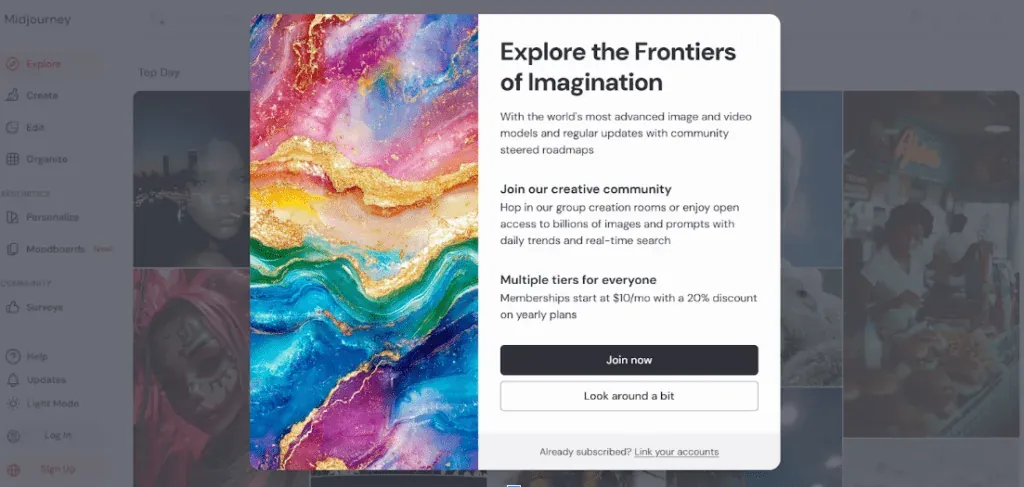
Midjourney works exclusively on a subscription model. The individual plans differ mainly in access to working modes, processing priority and the ability to generate images in private mode. From a marketing user's perspective, what matters most is the balance between generation speed and cost.
For people just testing the tool, the basic plans are enough, while teams working on advertising campaigns or content at a larger scale most often go for higher-tier packages, which offer greater flexibility.
Working modes: Fast, Relax and Turbo, and how they differ
The working modes in Midjourney determine how fast images are generated and how much processing load they use. Fast mode delivers a result almost instantly, which matters especially during workshop-style work or when testing many variants. Relax mode works more slowly but is more economical, which works well for conceptual work without time pressure. Turbo mode offers maximum speed at the cost of using more of the available resources.
You can find out more about the modes directly from Midjourney in the document “GPU Speed (Fast, Relax, Turbo)” or in the video below.
How Midjourney works, step by step
Understanding how Midjourney works is essential if you want to use the tool deliberately rather than by trial and error. Although the image generation process looks simple from the user's side, a complex mechanism runs behind it, based on natural language processing and generative image models. It's precisely this technological layer that decides why some prompts give predictable results while others lead to completely unexpected outcomes.
Processing the prompt: how AI “understands” a text description
The first stage of how Midjourney works is analysing the prompt, meaning the text description entered by the user. This is where language models come into play, tasked with interpreting the meaning of the words, the relationships between them and the context of the whole description. To put it simply, AI doesn't “read” a prompt the way a person does; instead, it breaks it down into smaller units of meaning and turns them into numerical data.
Choose your words carefully
Every word in a prompt carries a certain weight and influences the final result. What matters isn't just what gets described, but also the order of the information, the level of detail and how the instructions are phrased. Midjourney interprets the description as a whole, so precisely defining the main subject of the image matters far more than the details that come after it.
In practice, this means a well-constructed prompt leads the AI “by the hand”, instead of leaving it too much room for interpretation. From a marketing and SEO perspective, this matters a great deal, because it lets you build visually consistent materials that serve a specific communication goal rather than just an aesthetic experiment.
The image diffusion process
After processing the prompt, Midjourney moves on to the image generation stage, which is based on a mechanism called diffusion. Put simply, this process gradually transforms random visual noise into a coherent image. The initial image looks like chaotic static, which, with each successive iteration, takes on shapes, colours and a structure that matches the text description.
This is exactly the stage where the difference between Midjourney and traditional graphics programs becomes clear. An image isn't built up by adding elements one after another, but by reducing chaos and “drawing out” form from randomness. Each iteration brings the final result closer to the vision contained in the prompt, but the process is never fully deterministic. This controlled unpredictability is what lets Midjourney generate images that are surprising and yet aesthetically coherent.
Elements of an effective prompt in Midjourney
As already mentioned, Midjourney doesn't “guess” the user's intent the way a person would. What comes out is a direct result of the quality and structure of the prompt. That's precisely why the skill of constructing it is the foundation of working with this tool deliberately. In practice, a good prompt isn't a random description, but a carefully thought-out sequence of information that steers the algorithm in a specific direction.
| Prompt element | What it means in practice | Why it matters |
|---|---|---|
| Description of the main subject and scene | This element defines what the central point of the image is and in what context it appears. It can be a single object, a character, a product or a whole situational scene. Midjourney treats this part as the foundation of the entire composition, so it should be unambiguous and clear. | The main subject determines how legible the visual message is. In marketing and SEO, it's exactly this element that catches the viewer's eye and communicates the most important information. An imprecise description at this stage leads to chaotic images that are hard to use. |
| Visual style and aesthetic | The style defines the character of the image, for example realistic, illustrative, minimalist or conceptual. This is the aesthetic layer that affects the viewer's emotions and how they interpret the graphic. Midjourney responds very strongly to style information, treating it as the overriding visual context. | Stylistic consistency is key to brand communication. Precisely defining the aesthetic makes it possible to create graphics that match the visual identity, which directly affects the recognisability and credibility of the marketing message. |
| Lighting, colour and mood | This part of the prompt is responsible for the atmosphere of the image. Information about light, colour and mood affects the emotional reception of the graphic and its dynamism. Midjourney can generate very different effects depending on whether the image is meant to be bright, high-contrast, muted or dramatic. | Well-chosen colour and lighting strengthen the marketing message. Images with a clearly defined mood catch attention better, extend how long users interact with the content and can have a positive effect on the CTR. |
| Composition and perspective | Composition describes how elements are arranged in the image and the viewer's point of view. It can relate to the framing, proportions, depth of the image or perspective. Midjourney takes this information into account when building the visual structure of the scene. | Good composition determines how usable the graphic is. In marketing practice, it lets you create images that can easily be used in ads, on landing pages or on social media, without the risk of key elements being accidentally cropped or shifted. |
| Technical parameters affecting the result | Technical parameters fine-tune how the image is generated, for example the level of detail, randomness or rendering quality. They don't replace the description, but complement it, giving the process greater predictability. | Deliberate use of parameters lets you control the results and optimise the workflow. In advertising campaigns and SEO, this allows you to quickly create comparable image variants, which is essential for A/B testing and scaling activity. |
Prompt parameters and their effect on the final result
As already mentioned, an effective prompt in Midjourney doesn't end with the description of the subject, style or mood of the image itself. Technical parameters play an equally important role, affecting how the algorithm interprets the description. It's precisely these parameters that let you move from random, often unpredictable results to work that is deliberate, repeatable and usable in marketing projects, SEO or advertising campaigns.
Stylisation and the artistic level of the image
The stylisation parameter controls how strongly Midjourney imposes its own artistic aesthetic when generating an image. The higher the stylisation level, the greater the algorithm's creative freedom, and at the same time the lower the precision in reproducing the details described in the prompt. Images then become more painterly, illustrative and often visually attractive, but not always functional from a marketing point of view.
In practice, this means high stylisation works well for creating conceptual graphics, moodboards or inspirational illustrations. In commercial projects, however, such as graphics for landing pages, display ads or social media, too high a stylisation level can get in the way of communicating the message. Deliberately lowering this parameter produces images that are more neutral, clearer and easier to integrate with the brand's visual identity.
Chaos and controlling the randomness of generation
Chaos is a parameter that regulates the degree of unpredictability in the generated images. At low values, Midjourney tends to create images that are consistent, logical and similar to one another, even if the same prompt is used multiple times. As chaos increases, the variety of interpretations grows, and the algorithm starts proposing increasingly surprising visual solutions.
Image quality and rendering time
The quality parameter affects how much processing power Midjourney allocates to generating an image. Higher quality means more detail, better texture reproduction and a more polished composition, but it also comes with longer rendering times and greater use of the limits available within your subscription.
Example prompt structures
At this stage, it's worth organising this knowledge and showing how, in practice, you “think in prompts” in Midjourney. This isn't about copying ready-made formulas, but about understanding the logic behind building a description that gives predictable and useful results. A well-constructed prompt always follows the same principle: from the general to the specific, from the meaning of the scene to its technical fine-tuning.
Below, we cover the three most commonly used prompt structures that genuinely work well in marketing, design and content work.
Prompt structure for realistic images
For realistic images, the most important thing is to anchor the image firmly in reality. The algorithm has to “understand” that the goal isn't an illustration or an artistic vision, but a result close to stock photography or a lifestyle photoshoot.
The description of the main subject and context should be as precise as possible, for example: “young woman working on a laptop at a modern desk” “male entrepreneur in a minimalist office interior” “close-up of hands holding a smartphone”
Next, clearly define the character of the image as realistic or photographic, for example: “photorealistic” “natural proportions” “realistic textures and materials”
The next step is to fine-tune the lighting and optics, which in practice has a very strong effect on how believable the image looks: “soft natural daylight” “shallow depth of field” “DSLR photography look”
At the end come the technical fragments that limit artistic interpretation: “low stylization” “high detail” “clean background”
A prompt built this way gives images that can easily be used on websites, in expert articles or SEO materials, without that “AI-art” look.
Prompt structure for illustrations and conceptual graphics
In illustrations and conceptual graphics, the focus shifts from realism to the idea. The prompt should start with what the image is meant to symbolise or convey, not exactly what it should look like.
A description of the concept or metaphor might look like this: “visual metaphor of growth in digital marketing” “concept illustration showing balance between technology and creativity” “abstract representation of data flow”
Only after that comes the visual style, which sets the aesthetic for the whole image: “editorial illustration style” “concept art” “minimalist illustration”
Next, it's worth fine-tuning the colour palette and mood: “muted color palette” “soft gradients” “calm, professional mood”
At the end, you can give the algorithm more creative freedom: “high stylization” “creative interpretation”
This structure works perfectly in content marketing, reports, expert articles and educational materials, where the image is meant to support the narrative rather than pretend to be a photograph.
Prompt structure for advertising and social media graphics
Advertising graphics require the most discipline. Here, the prompt has to “think in terms of the campaign”, not aesthetics for its own sake. The image needs to be legible in a split second and leave room for the message.
The scene description should be simple and functional: “product displayed on a clean surface” “person using a mobile app in everyday situation” “modern workspace with visible laptop screen”
Next, it's very important to define the style from a marketing angle: “commercial photography style” “clean and modern” “brand-friendly look”
The next element is composition, which takes the image's future use into account: “center composition with empty space” “copy space on the right side” “square-friendly composition”
At the end, fragments that improve repeatability are used: “consistent lighting” “neutral background” “controlled stylization”
Prompts built this way let you create series of graphics for Google Ads, Meta Ads campaigns or A/B tests, without the risk that each iteration will look visually like it's “from a different story”. It's worth taking different graphic styles into account while building your prompt:
Midjourney versions and models: what's worth knowing
Midjourney's models have a real, practical effect on the quality, style and predictability of the generated images. Choosing a version isn't a technical detail, but a strategic decision, especially when the images are going to be used in marketing, SEO or advertising campaigns.
The table below organises the most important models and their practical applications.
| Midjourney model | How it behaves | Image quality and style | Best marketing uses |
|---|---|---|---|
| Midjourney V4 | Midjourney V4 An older model, more artistic, less predictable | Stylised, illustrative images, weaker realism | Conceptual graphics, illustrations for opinion articles |
| Midjourney V5 | A big leap in quality for realism and detail | Very good proportions, better anatomy, natural colours | Content marketing, blog images, SEO graphics |
| Midjourney V5.2 | Improved interpretation of prompts and light | Better style control, sharper textures | Landing pages, brand imagery, branding campaigns |
| Midjourney V6 | Noticeably better “understanding” of natural language | Very high realism, good visual typography | Ad creatives, images for Ads campaigns, mockups |
| Midjourney V7 | The newest model, the highest consistency and detail | Photorealistic images, excellent composition | Performance marketing, A/B tests, sales creatives |
| Niji 5 / Niji 6 | A model specialised in anime and illustration aesthetics | Anime style, dynamic shots, character expression | Youth campaigns, gaming, pop culture, social media |
Midjourney in marketing practice
Midjourney increasingly functions in marketing not as a technological curiosity, but as a real operational tool that supports content, performance and UX teams. Its greatest value is the ability to quickly generate unique images that can be matched to a specific business goal, stage of the sales funnel and communication channel. In marketing practice, Midjourney is used mainly in the following areas:
- Content marketing, where the tool is used to create illustrations opening articles, visual metaphors for expert content and graphics supporting the narrative in reports, e-books and guides. This makes it possible to move away from generic stock photos towards unique images that are better matched to the topic and tone of the publication.
- Graphics for social media and image campaigns, where Midjourney lets you quickly build consistent visual series without having to bring in a graphic designer every time. With well-designed prompts, it's possible to keep a profile's aesthetic uniform, which directly affects brand recognisability and the consistency of communication.
- Designing landing pages, where images generated by Midjourney are used as elements of hero sections, visual backgrounds or contextual graphics supporting the sales message. Their advantage is the ability to precisely match the image to the message, instead of adapting the content to a ready-made stock photo.
- Improving CTR in search results, especially for blog articles, Google Discover and materials with an extensive visual layer. Unique images catch the user's attention and stand out against repetitive stock graphics, which indirectly affects click-through rate and engagement.
- Creating ad creatives for A/B testing, where Midjourney lets you quickly generate several visual variants of a single ad. This lets you separate the effect of the copy from the effect of the image, speed up the testing process and optimise campaigns on Google Ads or Meta Ads faster.
Comparing Midjourney with other AI image generators
The market for generative AI tools has several solutions that, at first glance, aim to do the same thing: generate images from a text description. In practice, though, they differ in their underlying philosophy, level of control, visual quality and business application. The comparison below shows the key differences between Midjourney, DALL·E and Stable Diffusion.
| Criterion | Midjourney | DALL·E (OpenAI) | Stable Diffusion |
|---|---|---|---|
| Visual quality of images | Very high, with an emphasis on aesthetics, detail and composition | High, but more “technical” and neutral | Depends on the model and configuration |
| Default style | Artistic, illustrative, cinematic | Neutral, illustrative and utilitarian | No default style |
| Control over the aesthetic | High, based on parameters and prompt structure | Limited, simplified | Very high, but requires technical knowledge |
| Entry threshold | Medium: requires understanding prompt logic | Low: very intuitive | High: model and environment configuration |
| Availability | Discord + web interface | Browser and API | Locally or through external interfaces |
| Style repeatability | High with the right prompts | Medium | Good, but more technical |
| Use in marketing | Very good: branding, content, ads | Good: quick utility graphics | Youth campaigns, gaming, pop culture, social media |
| Use in SEO | High: unique images, content stands out | Medium: safe, but less distinctive | High at large production scale |
| Automation options | Limited | Very good thanks to the API | Very good, but technically complex |
| Subscription model | Paid, no free version | Partly free | Free (open source) |
Limitations and challenges of Midjourney
Despite its very substantial visual capabilities, Midjourney isn't a tool without limitations, and being aware of them is essential for using it professionally in marketing, SEO or advertising campaigns. Above all, it's worth remembering that Midjourney doesn't “understand” business intent the way a person does. The algorithm interprets a prompt purely on the basis of statistical relationships between words and images, which means even a small change in wording can lead to a significantly different visual result. In practice, this forces iterative work on prompts and testing many variants before you get an image that genuinely matches the project's assumptions.
Another significant limitation is control over details that are critical from a branding point of view. Midjourney still struggles to correctly generate text, logos, user interfaces or precise visual identity elements. Because of this, AI-generated images can rarely be used as final materials without additional graphic work. In the context of SEO and performance marketing, this means Midjourney works great as a conceptual or supporting tool, but it doesn't replace the classic design process where compliance with a brand book matters.
Will Midjourney replace graphic designers?
In the everyday work of creative teams, Midjourney mainly acts as an accelerator. It lets you explore stylistic directions faster, test visual concepts and generate variants that used to take many hours of work. A graphic designer stops being purely someone who executes, and increasingly becomes a curator of AI-generated results, the person responsible for aesthetic consistency, brand compliance and the final quality of the material.
In the long run, Midjourney won't replace graphic designers, but it will clearly separate those who can work conceptually and use AI tools deliberately from those whose value rests purely on manual execution. This is a shift comparable to the one brought about by the move from analogue to digital design: designers didn't disappear, the way they work changed.
FAQ: frequently asked questions about Midjourney
Is Midjourney suitable for team work?
Midjourney can be used by teams, but it needs good work organisation. The most common approach is a shared subscription account or a clearly defined naming system for prompts and Discord channels. In larger teams, documenting prompts and parameters is essential.
Why does Midjourney struggle with text in images?
Midjourney isn't a tool for generating typography or interfaces. The model focuses on the image as a whole, not on precisely reproducing characters. As a result, text in images can end up distorted or illegible. For this reason, it's best to treat Midjourney graphics as a visual base and add text later in classic graphics tools.
How do you learn to write effective Midjourney prompts?
The best way to learn is through practice and analysis. It's worth watching other users' prompts, testing different description structures and deliberately adjusting parameters. What matters most is understanding that a good prompt isn't a random description, but a logical sequence of information that guides the algorithm towards a specific result.
Does Midjourney save a history of generated images?
Yes, Midjourney saves a history of generated graphics on the user's account. The images are available both on Discord and in the web interface, as long as you sign in with the same account. This makes it possible to go back to earlier prompts, analyse iterations and reuse chosen visual concepts.
Can you recreate an identical image in Midjourney?
There's no guarantee of reproducing an image with one hundred percent accuracy, because the generation process isn't fully deterministic. However, you can get very close to the same result by using the same prompt, parameters and seed. In practice, this lets you keep visual consistency across campaigns and series of graphics.
How does Midjourney interpret Polish?
Midjourney interprets prompts best in English. While it's possible to use Polish, the results are usually less predictable and less precise. In practice, people working professionally with Midjourney write their prompts in English, even when the visual content is intended for the Polish market.
Also check out:
- The FAQ section and its role in AI SEO: optimising for citation in AI
- SEO for AI Answers: how embeddings and RAG affect content visibility
- Vibe coding: what it is and how this new approach to programming with AI works
- Link building in the context of AI: how artificial intelligence is changing the rules of SEO