












Since April 2026 the tool has been generally available on paid plans, and it increasingly reaches companies that want to relieve their teams of repetitive office work.
What is Claude Cowork?
Claude Cowork is a set of agentic capabilities in the Claude app that make the artificial intelligence tool work like a colleague rather than a conversation partner. An ordinary AI assistant, such as ChatGPT from OpenAI, answers a question and the user does the rest: copies the content, moves data to a spreadsheet, saves a file. Cowork takes over exactly that rest.
The tool grew out of Claude Code, an agent for developers that works in the terminal. Anthropic noticed that marketing and analytics teams, who have little to do with code, were also reaching for Claude Code. That is how Cowork came about: the same engine with agentic capabilities, but in a form that needs neither a command line nor a technical background. The test version launched in January 2026, and on 9 April 2026 Cowork became generally available (according to Anthropic's official release notes).
On 16 September 2026 Anthropic began merging Cowork with chat into a single Claude experience. You no longer choose a mode before you start working: in the same conversation you ask a quick question or ask for a report, spreadsheet or presentation to be prepared. For now the change covers the Pro and Max plans, so on other plans Cowork may still look like a separate tab.
Cowork uses models from the Claude family, that is, large language models (LLMs) developed by Anthropic. In Cowork, Claude AI gets what it lacks in chat: access to files and tools, and time to carry out a task from start to finish.
How Claude Cowork works: from instruction to finished file
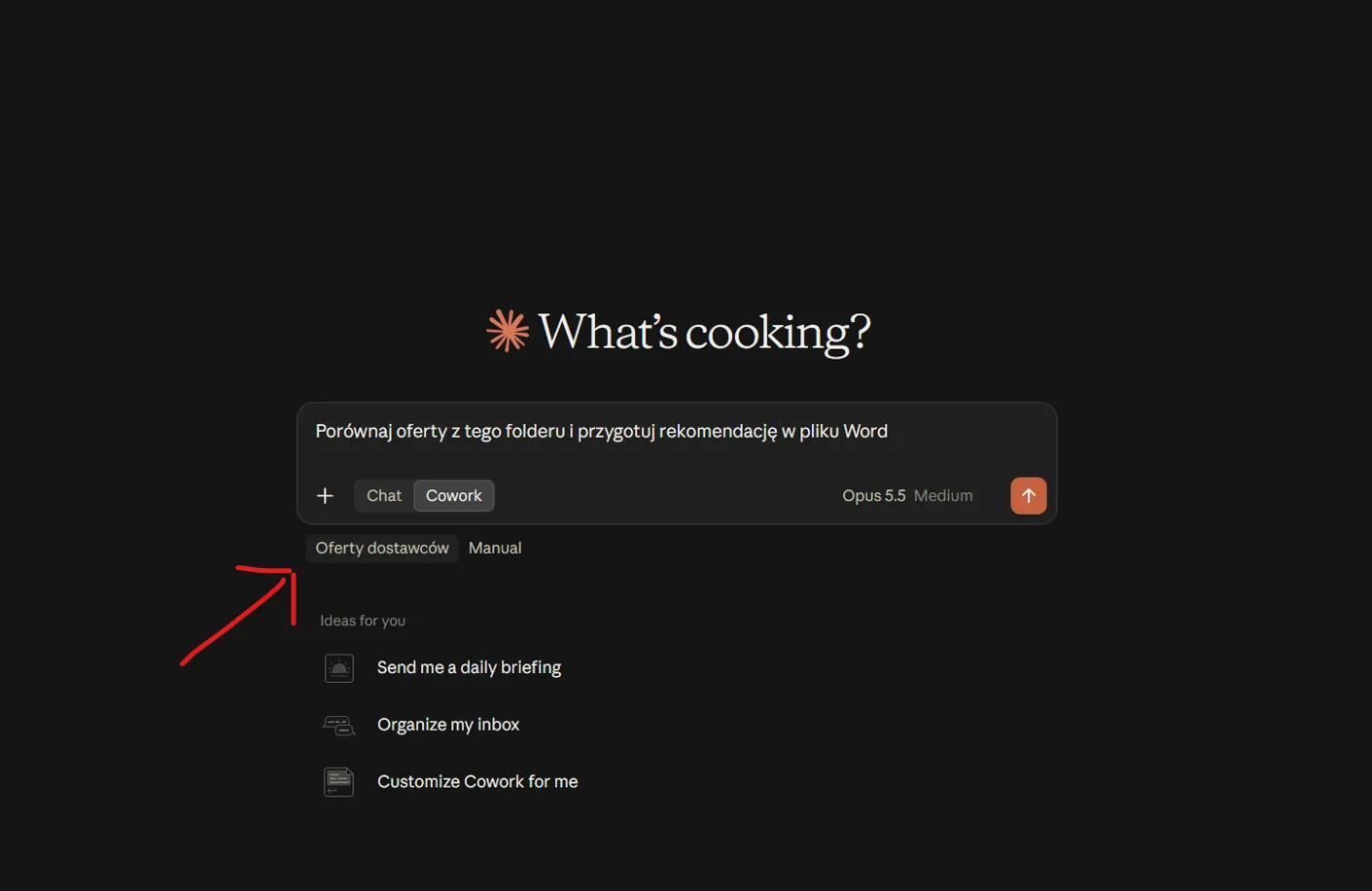
Work starts with pointing to a place. You open the Claude app, point to a folder on your disk or a connected service, describe the result you expect and approve the plan. The folder becomes the working context: Claude reads documents, the contents of PDFs and spreadsheets directly, without you pasting them into the chat window.
A multi-step task instead of a single answer
Cowork breaks an instruction into stages. The request “Compare five supplier offers and prepare a recommendation” means for it opening every file, pulling out prices and terms, putting them side by side in a table and describing the conclusions in a Word document. The agent carries out such a task (a multi-step task) in an isolated virtual machine. In it, it can run Bash commands or write helper scripts, and it saves the finished files in the results folder (outputs) or in a place you specify.
Control stays with you. You can see progress live in the task panel, and before important actions, such as overwriting or deleting a file, Claude asks for confirmation.
Context from files, apps and the browser
Through connectors based on the MCP (Model Context Protocol) standard, which link the agent to the APIs of external services, Cowork works on current data from Google Drive, Slack, Microsoft 365 or a CRM. The browser is another source: combined with the Claude in Chrome extension, the agent gathers information from web pages, checks data and fills in forms.
The context window, that is, the amount of text the model can take in at once, has its limits, so with hundreds of local files it is better to split the work into several smaller tasks than to throw a whole archive into a single session.
Claude Cowork, Claude chat and Claude Code: how do they differ?
All three tools use the same models, but they serve different tasks. Status as of October 2026.
| A quick answer in chat | A task in Claude Cowork | Claude Code | |
|---|---|---|---|
| Who it is for | every user | office teams, managers, people without technical knowledge | developers |
| Where it works | the Claude app (web, desktop, mobile) | the same conversation in the Claude app (Pro, Max); on other plans a separate tab in Claude Desktop | terminal, IDE, desktop app |
| Result of the work | an answer in the chat window | finished files: documents, spreadsheets, presentations | code and changes in the repository |
| Access to files | files added to the conversation | the chosen folder and connected services | the project repository |
| Background work | none | background tasks and scheduled tasks | background tasks |
In practice, a quick question gets an answer straight away, Claude Code is for writing and fixing code, and Cowork is for doing office work from start to finish. Since the September change, it is Claude that judges whether a request needs a short answer or a longer task. In many companies the tools work side by side: the development team works in Claude Code and the rest of the organisation in Cowork.
Skills, plugins and scheduled tasks: automation in Cowork
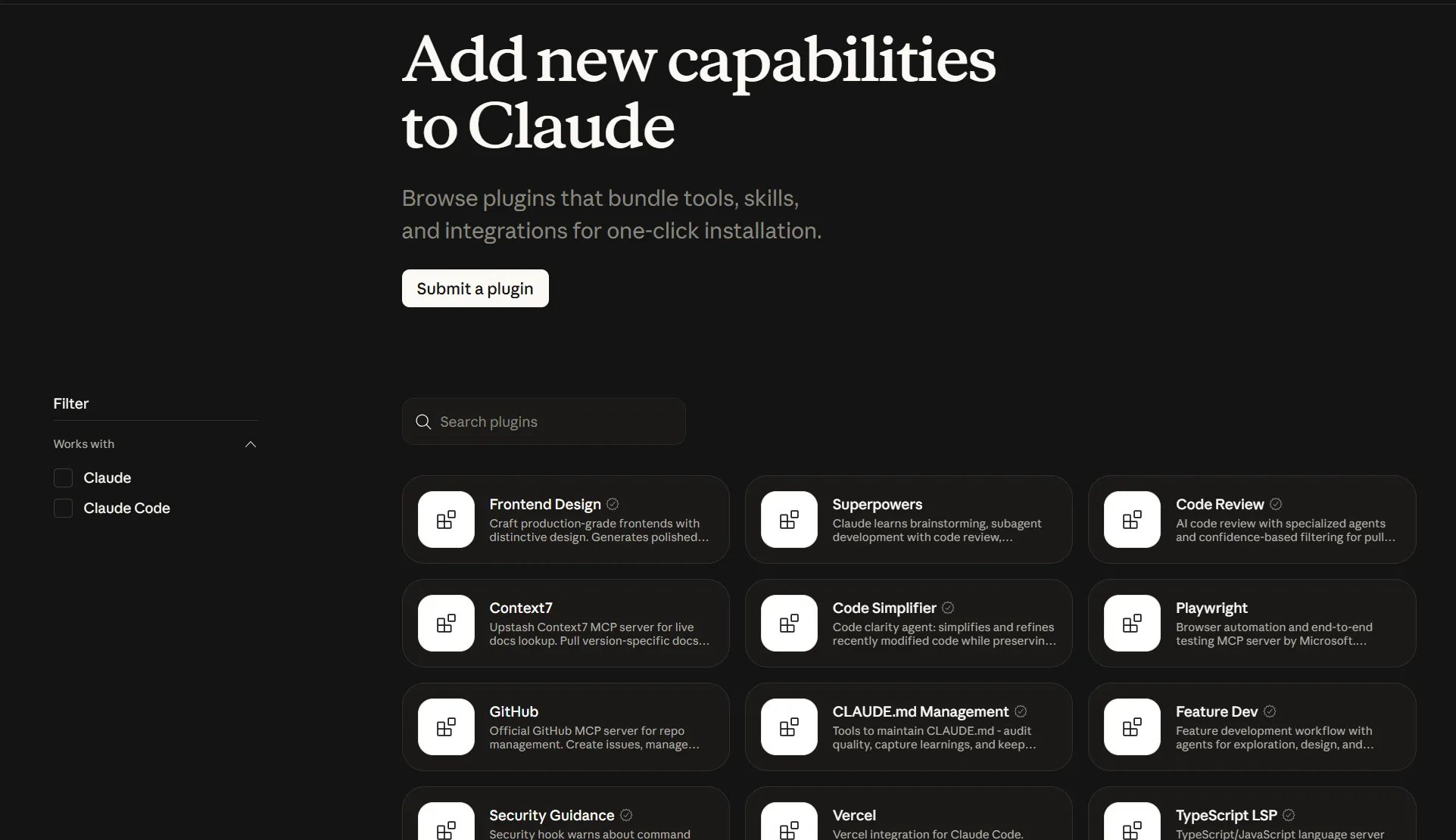
Cowork can be adapted to the way a company works. Skills are saved instructions and templates that teach the agent specific rules and procedures: the format of a report, the tone of communication with a client or the order of steps in a settlement. Plugins combine skills, connectors and specialised sub-agents (agents) into one package installed with one click. Anthropic provides ready-made plugins for, among others, sales, finance, legal, marketing and HR teams, and a company can prepare its own.
The second important feature is scheduled tasks: once you have described a workflow, for example a Monday summary of campaign results or a daily review of customer emails, Cowork runs it on a schedule. Such tasks can run in the cloud (a beta feature), so they do not need your computer to be switched on. We describe how to set them up step by step in the article on scheduled tasks in Claude.
Practical uses of Claude Cowork in a company
The most gain comes in processes where someone regularly moves information between files and systems.
Research and document analysis
Gathering information about the market, competitors or new regulations can take an analyst several days. Cowork searches websites, reads reports and contracts, compares conclusions and prepares a note with links to sources. You verify the finished material instead of putting it together from scratch.
Reports and spreadsheets without manual retyping
The agent combines data from several exports into one Excel spreadsheet, adds tables and charts and writes formulas directly into cells, so the results recalculate when the data changes. At the end it adds a comment on the numbers. The monthly report for the board stops being a half-day task, and manual export and copying of tables disappear from the calendar.
Processes in sales, customer service and administration
Before a meeting, Cowork collects the contact history from the CRM and the latest correspondence, and after the meeting it turns the transcript into a summary and a task list. In administration it tidies a folder of downloaded files, gives invoices consistent names and puts their data into a table. A team manager, in turn, gets a summary of project status without asking each person separately.
The common denominator of these examples is a repeatable process with a clearly defined result. The more precisely you describe it the first time, the less work comes back in the following weeks.
How much does Claude Cowork cost and what are the limits?
Claude Cowork is not free. It works only on paid plans: Pro, Max, Team and Enterprise. The Pro plan (from 20 USD a month with monthly billing) is enough for shorter tasks, such as tidying a folder or preparing a simple summary. The Max plan gives more headroom for long and complex sessions. For companies the most important are the Team and Enterprise plans, which add central account management, shared billing and security settings controlled by an administrator.
When planning a budget, take the limits into account. Working in Cowork uses up your usage allowance faster than a conversation in ordinary chat, because the agent performs many steps and has to process a lot of files. You will find current prices of all plans on the claude.com/pricing page.
Security: what control does the user keep?
An agent with access to files needs clear rules. Cowork sees only the folders and services you give it access to, and it carries out commands in an isolated environment. Before operations that change or delete data, it asks for confirmation.
Risk appears with unclear instructions and with content from outside. A web page or a document may contain hidden instructions that try to take control of the agent (so-called prompt injection), so when working with the browser and unknown files, watch how the task proceeds. Share important documents as copies, and in your company decide what data the AI may access. On the Team and Enterprise plans an administrator sets these rules, so they do not depend on the habits of individual employees.
Setup: how to start working with Claude Cowork
You can run your first task in a few minutes:
- Install Claude Desktop on macOS or Windows and log in to an account with a paid plan.
- Start a new conversation (if on your plan Cowork is still a separate tab, switch to it).
- Point to the folder with files and connect the services the agent should use.
- Describe the task: what result should be produced, in what format and where to save it.
- Review the plan, approve it and check the finished result.
To begin with, pick one process that takes the team several hours every week. When the result meets expectations, turn the instruction into a skill or a scheduled task and only then show the solution to the rest of the company.
When Claude Cowork will not work
Not every task needs an agent. A short, one-off question can simply be asked, and Claude will answer straight away, without breaking the task into steps. Processes in which an error in a single number has serious financial or legal consequences still require a final human check, because the model may misread an unusual document.
A barrier can also be a lack of order in the data. If files are scattered across several places under random names and processes exist only in employees' heads, the agent will reproduce that chaos faster than it will tidy it up.
Is an AI agent from Anthropic a good choice for your company?
Claude Cowork works wherever a team loses time gathering, retyping and formatting information. Cowork works on your files and in the apps the company already uses. Start with one process, measure the time saved and expand the rollout step by step. If you need support choosing processes and configuring the tool, get in touch.
FAQ: common questions about Claude Cowork
Is Claude Cowork free?
No. Cowork works only on Claude's paid plans: Pro, Max, Team and Enterprise.
How much does Claude cost for business?
The Team plan costs 20 USD per user per month on annual billing, and the Enterprise plan is priced separately. You will find current rates in the Claude pricing.
Who owns Claude?
Claude belongs to Anthropic, an American company working on AI safety research, founded by former OpenAI employees.