













In short
- Shopping campaigns (PLA) show a product's image, price and name in search results, and you pay per click. Users see the price before they visit the site, which filters out traffic from people looking for cheaper alternatives.
- The foundation is Google Merchant Center: company details, site verification, shipping methods and a product feed. The best feed is one updated automatically from your shop, rather than adding products by hand or letting Google scan the site.
- Smart Shopping campaigns have been converted into Performance Max, so the standard version remains. To start with, maximise clicks or manual CPC work best, then target ROAS. Prices and availability must match the feed.
Google Ads Shopping Campaign: What Is It and How Does It Work?
Despite constant changes in the Google Ads environment, Shopping campaigns are still hugely popular among advertisers. That's not surprising: at a time when we have less and less influence over where we appear within Performance Max, good old PLA (Product Listing Ads) is the last stronghold that lets us act exactly according to the plan we set for ourselves. That's why it's important that every campaign of this type is set up correctly and by the book. This lets us achieve very good results, although it will require constant work on our part.
Advertising on the Google platform lets you show your products in a way that's attractive to users. In PLA campaigns (short for Google Product Listing Ads), just as with Search campaigns, you appear in the search network, but you target the ads at specific groups of users who are interested in your products. Shopping campaigns use the information you have in your shop, or the information you pass to them through Google Merchant Center. A product ad shows a photo, price, and product name. In short, you can run ads that present your products in the most relevant way possible.
Google Ads Shopping Campaign: How Does It Actually Work?
Put simply, Google Shopping campaigns are a type of campaign dedicated to e-commerce, aimed at selling the products you have in your online shop. They work through ads placed in a dedicated position within Google Search.
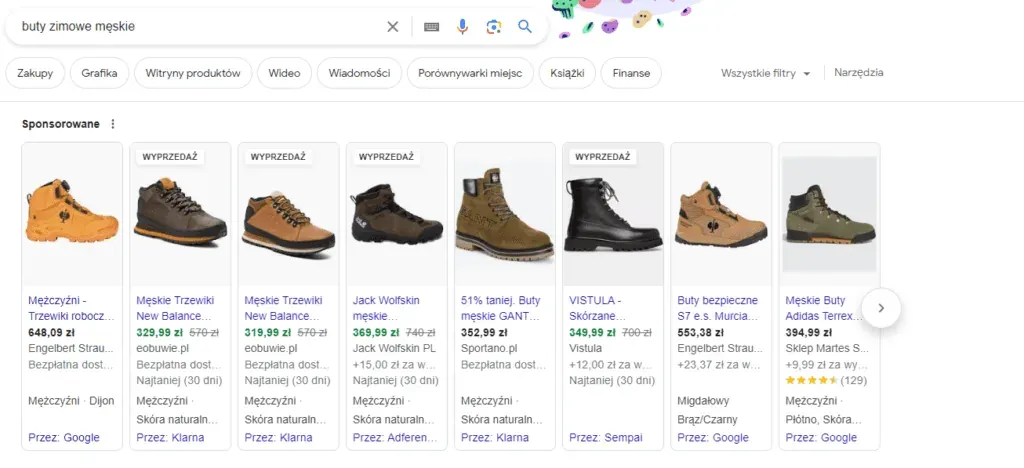
The main idea behind PLA campaigns is to show the user, in graphic form, the product they're currently looking for: their picture together with the name, price, and sometimes extra information such as promotions. Their biggest advantage is that the user sees the price and how the product looks before they even land on the product page. This lets us immediately filter out traffic from people who are, for example, looking for cheaper alternatives. That means we only pay for users who could potentially buy the product from us. PLA ads work (like most Google ads) on a PPC model, meaning you're only charged once someone clicks the ad, which makes it one of the most effective forms of product promotion, because you can appear for the precise keywords a user will search for.
A product ad itself isn't particularly difficult to launch, but it definitely requires a somewhat different kind of work, because Google's ad settings have certain nuances you need to take care of in order to appear the way you want. In addition, besides the standard work in the Google Ads panel, you also need to set up Google Merchant Center (more on that later). That's why, in the next steps, I want to show you step by step how to launch this type of campaign, with the goal that by the end of this article your first PLA ad will be live.
Google Merchant Center Account: The Management Hub for Product Listing Ads
Just as in Google Ads Search campaigns we focus on creating text ads, you might ask: what do we actually manage in Shopping campaigns? The answer is specific products that we list in our online shop. To do this, we need to set up a Google Merchant Center account and add to it the products we'll then manage within the Shopping campaign. How do you do that? Read on below.
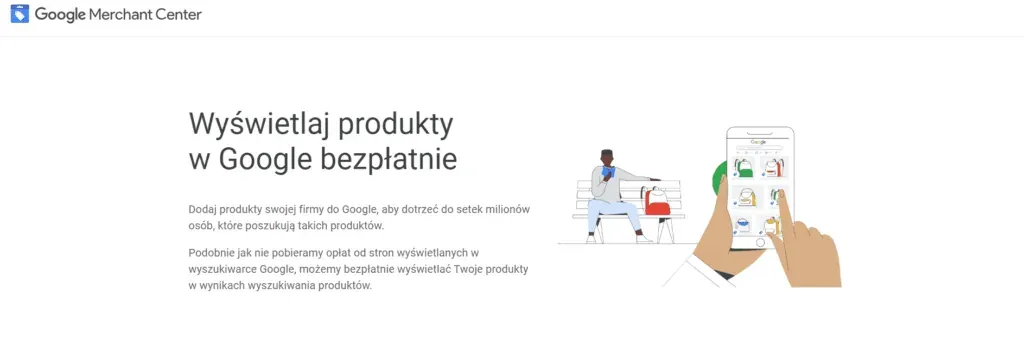
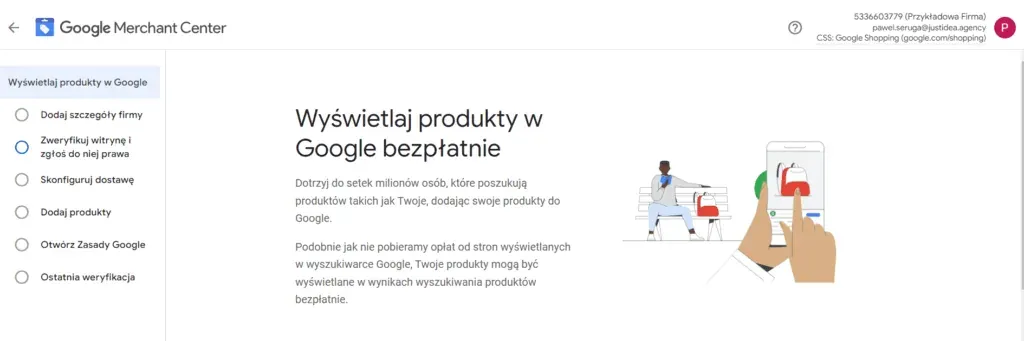
Setting up a Google Merchant Center account is simple and comes down to four main points:
- providing information about your company
- verifying your website
- providing the shipping methods used in your online shop
- preparing your product information, either by uploading a product feed or adding products manually
Once you've done this, you still need to accept Google's Policies and complete verification, after which you can start showing ads, of course provided Google decides that everything complies with its policies.
Setting Up Google PLA Using Google Merchant Center
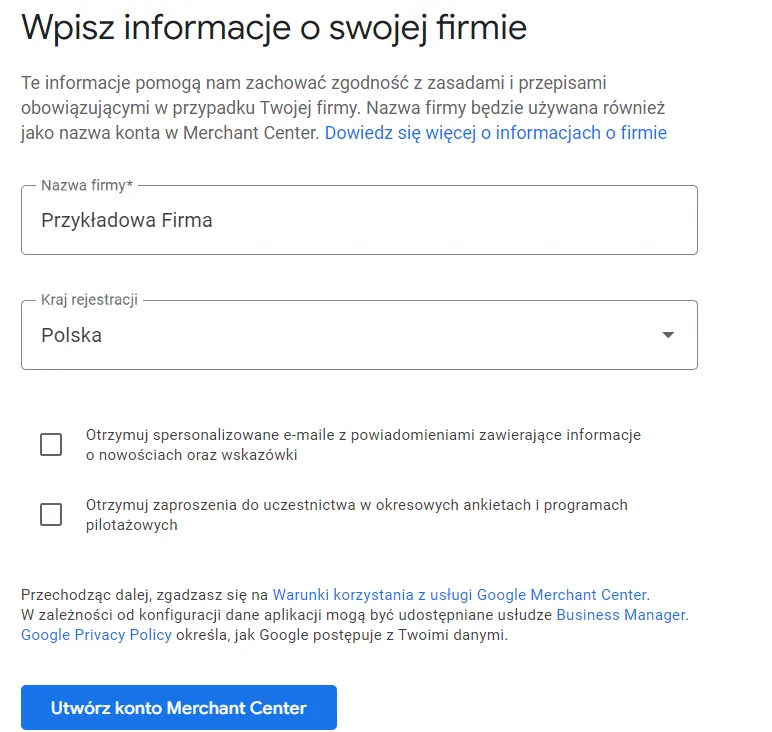
The first stage of setting up Google Merchant Center is adding information about your company. Remember to include details of your company's registered address, and provide a phone number, which may be needed for verification. Generally, this stage is simple and doesn't need much further comment.
The second issue is verifying your website in Google Merchant Center. A PLA campaign is generally launched for the specific online shop you add in GMC. For a Google product ad to work, you need to verify the website you'll be directing users to. Otherwise, you won't be able to create a working campaign.
Website verification is done using an HTML tag that you paste into the body section of your website. In simple terms, it's a line of code that, once added, Google's robots can “see”, allowing them to confirm that the online shop the campaign will point to actually belongs to you. You can paste this tag in manually, or add it through Google Tag Manager. It's worth mentioning that if you have a Google Tag Manager or Google Search Console account, you can also verify your account using those tools. The only important thing is that the Google account you use for Google Merchant Center is the same one you use in whichever of these tools you choose.
The third issue is verifying the delivery methods you'll use to send your range to customers. It's important that you provide all the delivery methods available in your shop. You can't skip this step, otherwise your Merchant Center account will keep telling you it isn't fully set up, meaning you won't be able to launch your ads.
Product Feed: Essential for Setting Up Google Shopping Ads
The next stage is probably the most important part of setting up GMC. It's obviously about adding the products you want to advertise. Here too, you have two options available. The first is manually adding products to your account. This only makes sense if you have few products and don't plan to expand your range. Remember that if you add products manually, every time your range grows you'll also need to add the new products to GMC by hand.
Much more often, an automatic method is used to add products. This works by taking a data feed you've prepared in advance, containing your product information, and adding it to your GMC account. If the product feed is only added once, then, just as with adding products manually, you'll need to keep updating it. A much better solution is to pull it directly from your shop and update it automatically through appropriate tasks on your server, for example once a day. With many of the most popular shop platforms (WooCommerce, PrestaShop, or Shopify), you can do this directly from the admin panel, so there's no need for extra development work. It's important that the product feed is kept up to date, and that you add the correct link to your GMC account.
There's also a more recent option to add products directly from your website. In this case, Google scans your online shop itself to build the range it adds to GMC. For this to work, you need to have verified your website beforehand. It's worth noting that with this method, you don't have full control over which products are added to GMC and in what form. Because of this, using a product feed is by far the best recommendation.
Shopping Campaign in Google Ads: Time to Start Showing Your Ads
Once you've added the product feed, you've practically taken care of everything within Google Merchant Center itself. What's left are details like accepting Google's policies and enabling the relevant programmes on your account. Once that's done, you can move over to your Google Ads account. The next stage is explaining step by step how a Google Ads Shopping campaign works.
As far as Google is concerned, setting up the ads within the account itself isn't a particularly difficult process. You just need to remember that you have to link your Google Ads account with your GMC account in order to use it for Shopping ads. The first step is choosing the right campaign type.
Until fairly recently, Google gave us a choice: a Smart Shopping campaign or a standard Shopping campaign. Today, that choice has been taken away from us: Smart Shopping campaigns have been converted into Performance Max campaigns, which means a Google Ads product ad can now only run in the standard format.
Bid Strategy: Which One Is Best for Google Shopping?
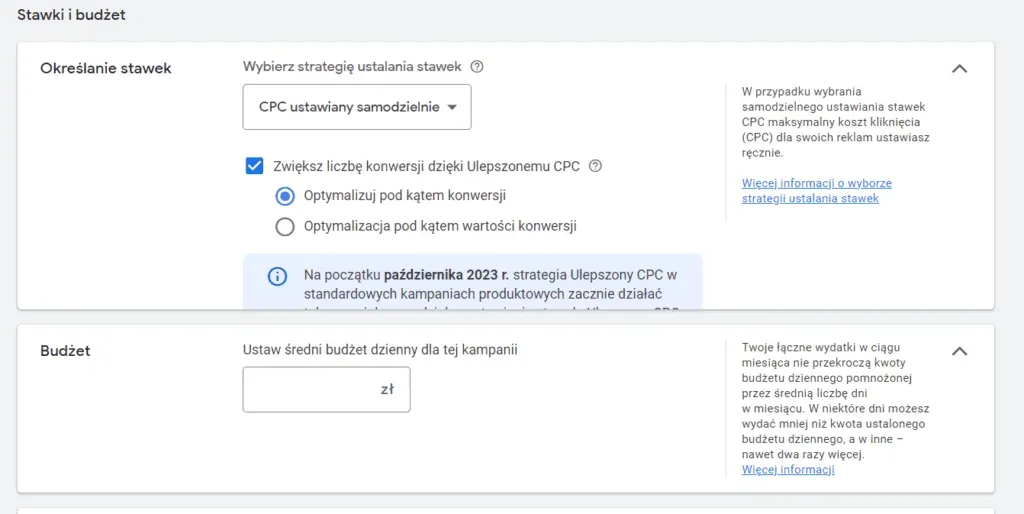
Once you've chosen the campaign type and linked the right GMC account, you can create the campaign. You'll then come across a series of settings that need to be configured correctly so you can appear in Google search results. Above all, you need to choose the right bid strategy and set a budget. Which strategy is best? As usual, it depends. If this is your first campaign and the account doesn't have any data yet, the best option is to choose maximise clicks, or manual CPC. This lets you see which product groups perform best and what phrases potential customers type in to find your shop. However, you should aim to gather as many conversions as possible in the shortest possible time, so that you can eventually move to a target ROAS strategy, which is ultimately the best strategy for PLA ads. With it, you can work together with Google towards getting a return from the campaign that works for you, so the shop pays for itself. Once you've chosen your bid strategy and set your budget, a single ad group is created by default. Your goal, however, is to split your product groups in a way that reflects your business model as closely as possible. You can use your shop's structure or margin information to do this. Each of these options will let you manage your PLA campaign as effectively as possible.
Google Product Ads: The Best Ad Format for E-commerce
To sum up, PLA campaigns (formerly known as AdWords product ads) are the best type of ad for online shops. The effectiveness this ad format offers within Google Search works best of all when your main goal is generating conversions.
Of course, ongoing work with the campaign means continuous optimisation: it's worth using the information Google Analytics gives you to analyse how the Shopping campaign is performing, check which keywords trigger your ads within the Google Shopping campaign, and see which products in your shop users search for most often.
It's worth remembering that a standard Google Shopping campaign isn't everything: Google also offers other options, such as setting up dynamic remarketing, which shows up on the Google Display Network, and using local inventory ads, which are an additional programme within Google Merchant Center.
It's also worth making sure Google Merchant Center is set up correctly. Product ads in Google Ads work better the better your product feed is prepared. Pay particular attention to product titles, descriptions, and images, because by default Shopping campaigns display them exactly as they appear in the feed. Product ads also use the information held in your shop, so it's worth keeping the feed up to date, because during the campaign Google Merchant Center checks prices and stock availability in particular. If you want to keep showing product ads, this data has to match your feed, otherwise your Google PLA ads will stop working.
Setting up your first Shopping campaign isn't hard, but the later work needed to keep it running properly is fairly complex and has to be done systematically. Google can genuinely help you increase sales, but preparing the Shopping campaign and later optimising it both need to happen in a solidly planned way.
Check Out Also:

Have a question about this article? Write to us.